![Logotype-primary (1).png]](https://knowledgebase.getvim.com/hs-fs/hubfs/Knowledge%20Base/Logotype-primary%20(1).png?height=50&name=Logotype-primary%20(1).png)
Documentation burden is the leading driver of clinician burnout — 90% of physicians cite administrative work as a primary contributor, spending close to two hours a day on notes alone. Most ambient AI tools address this by adding a separate app, a separate login, a separate workflow.
Vim Scribe is built differently: it lives inside the Care Insights panel providers are already using, so there’s no context switch and nothing new to learn.
Vim Scribe captures the visit, drafts a SOAP note, extracts ICD-10 codes, and pushes them to the open encounter all without ever leaving the EHR. Scribe is available to any practice with Vim Connect installed.
Video tutorials:
How to sign up for a free trial of Vim Scribe
First, sign up to start your practice’s free 30 day trial of Vim Scribe below. Your organization will be billed $50 per user per month after the free 30 day trial ends.
How to enable the Vim Scribe module in the Care Insights application in Console
Next your practice’s Vim console admin or console owner will enable the Scribe module and assign user access in Vim’s admin Console.
- Login into Vim’s admin console.
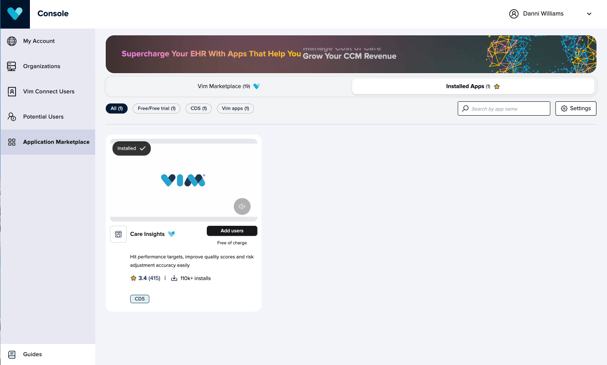
- Open Application Marketplace.
- Click on the Installed Apps tab.
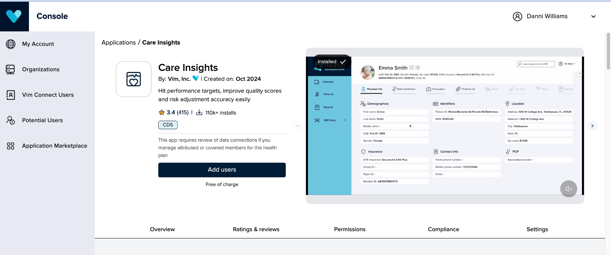
- Select the Care Insights application.
-
Click on Settings in the right corner of the Care Insights application listing page
- Expand the Applications Settings section
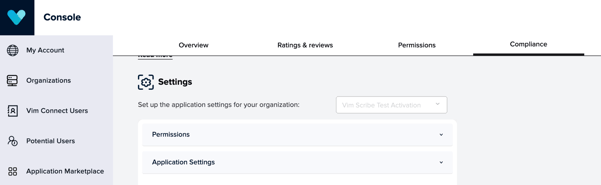
- Scroll down to the Vim Scribe module and toggle it on

-
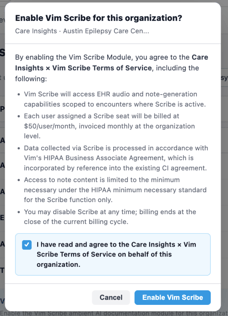
Agree to the Vim Scribe Terms of Service by selecting the Enable Vim Scribe button
How to enable user access to Vim Scribe
- Close the Application Settings sections after enabling the Vim Scribe module.
- Then expand the Permissions section above it
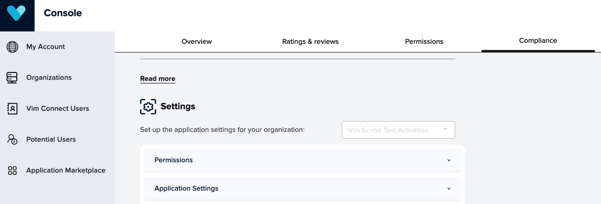
Enabling specific roles via Organization Default:
- Scroll to the Organization Default section
- Find the role of the user group you want to enable Vim Scribe for (Ex: Medical Doctor, PA/FNP)
- Scroll to the right and toggle Vim Scribe on to grant access to all users with that role at your organization
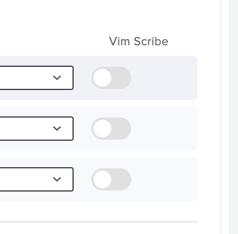
- Enabling specific users:
-
- Scroll down to the Users section and scroll to the right to the Vim Scribe column.
- Toggle Vim Scribe on for any user you want to give Vim Scribe access to.
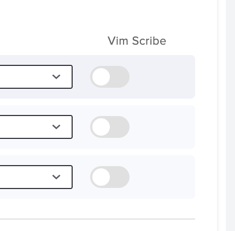
Console admins and owners can also remove Scribe access for end users at any time in the console.
-
Removing specific user access to Vim Scribe:
- Navigate to the Permissions section of the Care Insights application in Vim Console under the Installed Applications tab in the Marketplace
- Scroll to the user section and select Disable under the Vim Scribe column
-
Disabling Vim Scribe for the entire organization:
- Navigate to the Application Settings section of the Care Insights application in Vim Console under the Installed Applications tab in the Marketplace
- Scroll down to the Vim Scribe module and toggle it off