![Logotype-primary (1).png]](https://knowledgebase.getvim.com/hs-fs/hubfs/Knowledge%20Base/Logotype-primary%20(1).png?height=50&name=Logotype-primary%20(1).png)
Overview
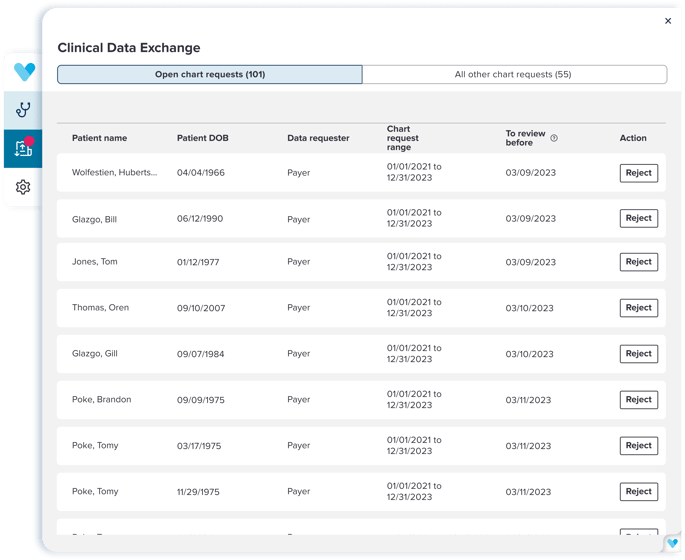
Clinical Data Exchange (CDE) performs chart extracts and shares information to support payer-led risk adjustment audits. CDE operates quietly in the background while also offering an in-EHR interface to review and manage chart requests.
Key Features
- In-app notifications for new requests
- Ability to assign CDE access to subset of users
- Transparent request review and rejection tools
- Auto-sharing at cutoff time unless rejected
View the terms for Clinical Data Exchange application.
Enable Clinical Data Exchange (CDE) - Console Admins Only
To enable CDE for Vim Users, follow these steps:
- Log in to Vim Console
- Go to Account > Advanced Settings
- Enable Clinical Data Exchange and enter an email address for updates. You can also Activate Clinical Data Exchange for all users.
- Click Save.
- Go to Vim Connect Users, and click the three vertical dots next to the user(s) you want to enable CDE for.
- Select Edit.
- In the Application section, add Clinical Data Exchange.
- Click Save.